


As a PM, you probably keep hearing about automations and setting up AI agents to do repetitive tasks for you.
But here’s the truth: PM work isn’t repetitive.
Every day looks different. New customer problems. New stakeholder asks. New fires. New features. Very little is “automatable.”
So over the last three months, I experimented with high-leverage automations: these make me sharper, faster, and more in sync with customers and the market.
Today I’m sharing 3 automations I actually use in my day-to-day. Not sponsored. Not theoretical. These genuinely make me a better PM.
Automation #1: The customer listener
The problem: Reddit is a goldmine for unfiltered customer feedback, but monitoring multiple subreddits is basically a full-time job.
The automation:
I use a simple Relay.app flow to watch for mentions of my company, StackAdapt, across subreddits like r/Programmatic.
When StackAdapt is mentioned:
Relay.app finds the comment
Sends me an email with the thread
Logs the comment into a spreadsheet so I can aggregate everything over time
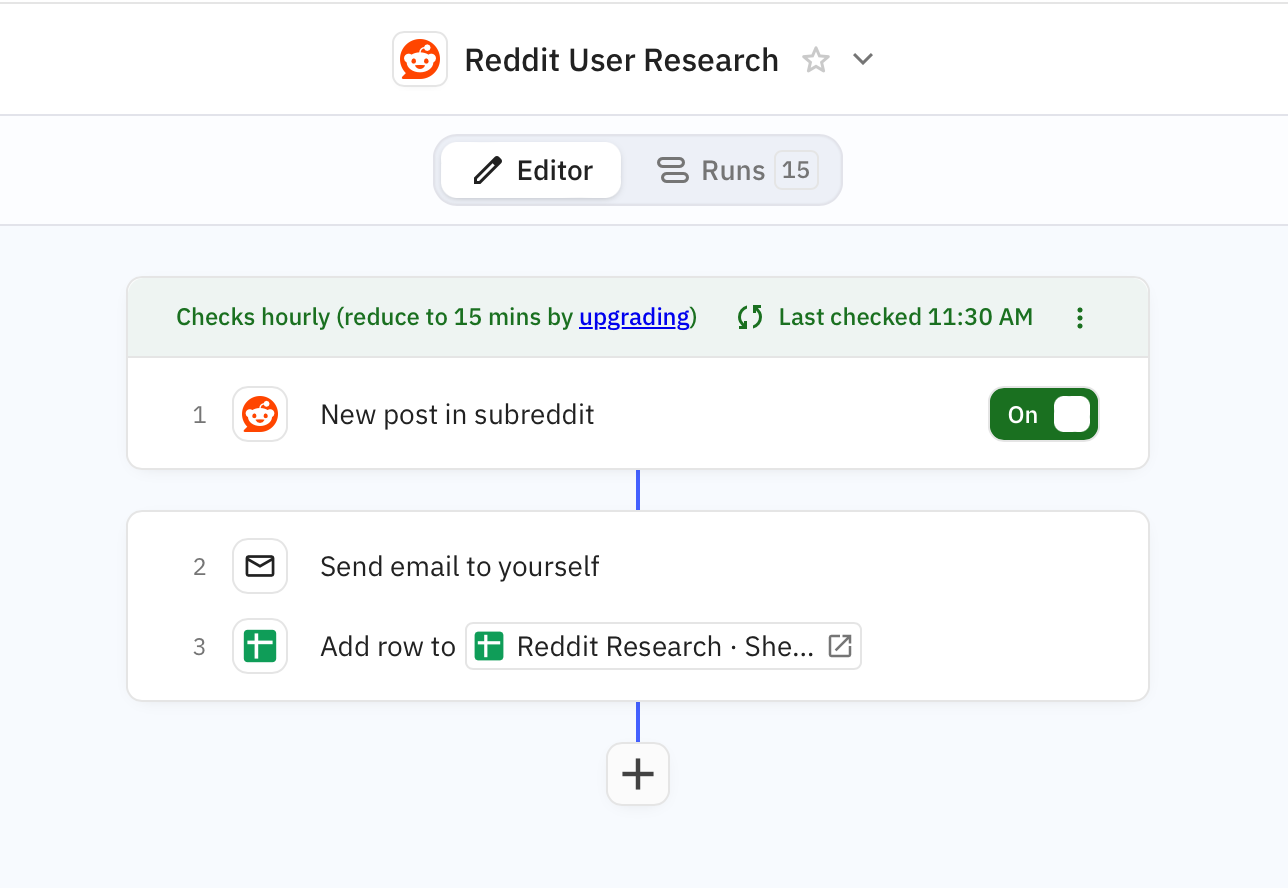
The results: I now have a continuous pulse on customer confusion points, emerging questions, and recurring themes. Bonus: I’ve surfaced multiple leads from Reddit threads and passed them to the sales team.
The level-up:
Comment directly on posts (transparently!) to answer questions or ask for more context/feedback from customers
Run AI analysis over your Reddit spreadsheet to extract themes
Create an AI agent to triage comments to the right people (e.g., send leads → sales, product bugs/questions → PMs)
Automation #2: weekly competitive report
The problem: PMs must stay close to competitors, but tracking every launch, feature update, and press release is incredibly time-consuming.
The automation (I made some tweaks to the Monthly Competitive Report template)
Every Monday morning, Relay.app delivers a competitive intelligence report summarizing:
Top LinkedIn posts from competitors
New feature launches
Press releases and announcements
Thought leadership worth reading
I start my week reading the report and updating my mental model of the market.
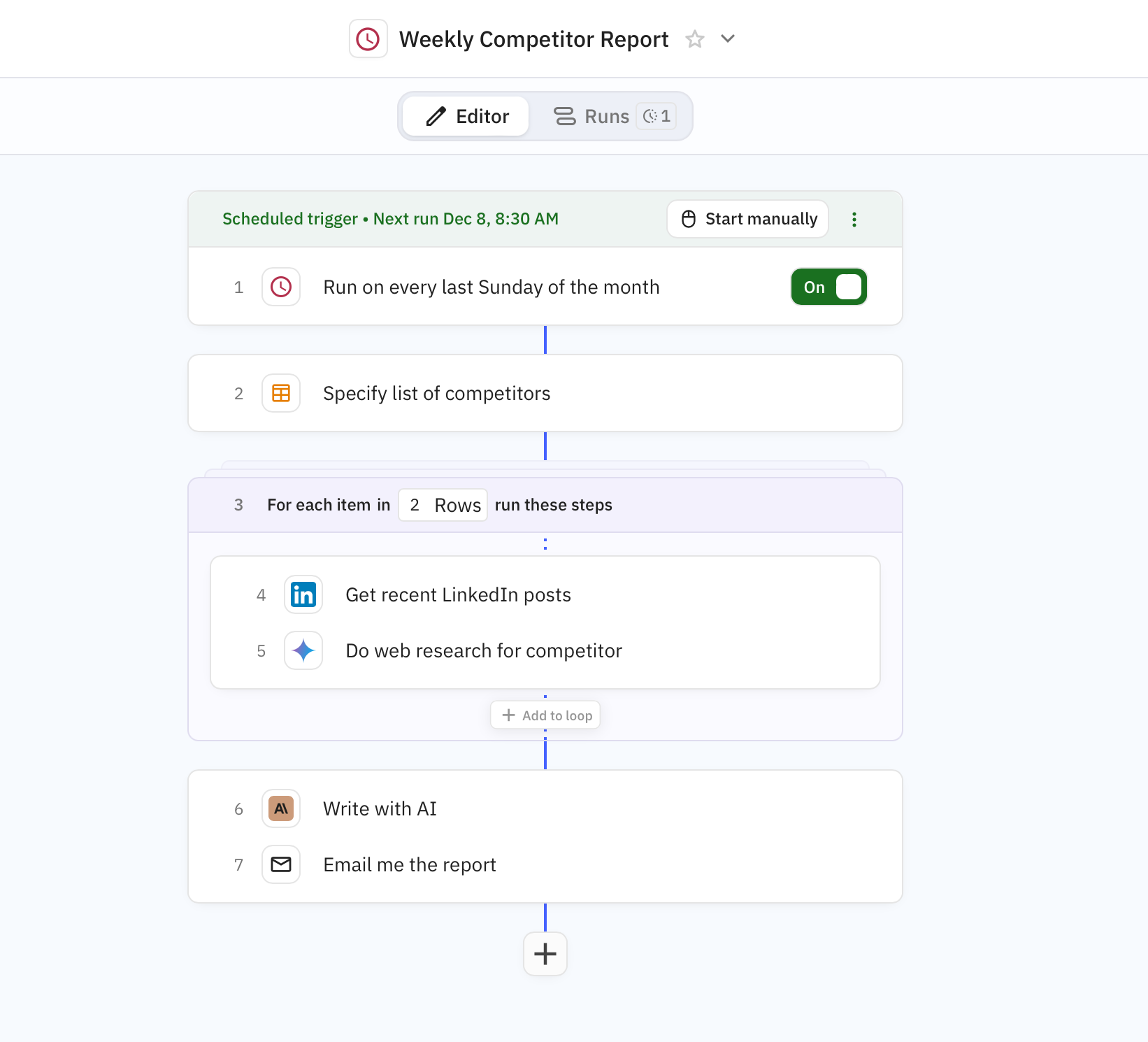
The results: I feel more informed, more aware of where the market is heading, and better equipped to guide internal discussions. It’s also surfaced excellent thought leadership I wouldn’t have found on my own.
The level-up:
Turn this into an internal competitive newsletter
PMMs can mine it for content ideas
PMs can push any relevant feature ideas into a backlog spreadsheet
Automation #3: The User Research Library
The problem: PMs do tons of customer interviews… but insights often die inside someone’s Miro board or Figma file. There’s rarely a shared, searchable memory for customer learnings.
The automation:
Use Gemini Notes (or any note-taker) for each research call
Create a trigger for emails titled “research session” (or your naming convention)
Relay.app listens for that email
The notes get appended into a spreadsheet called “User Research Library”
This becomes a searchable research database accessible by PMs, designers, and researchers.
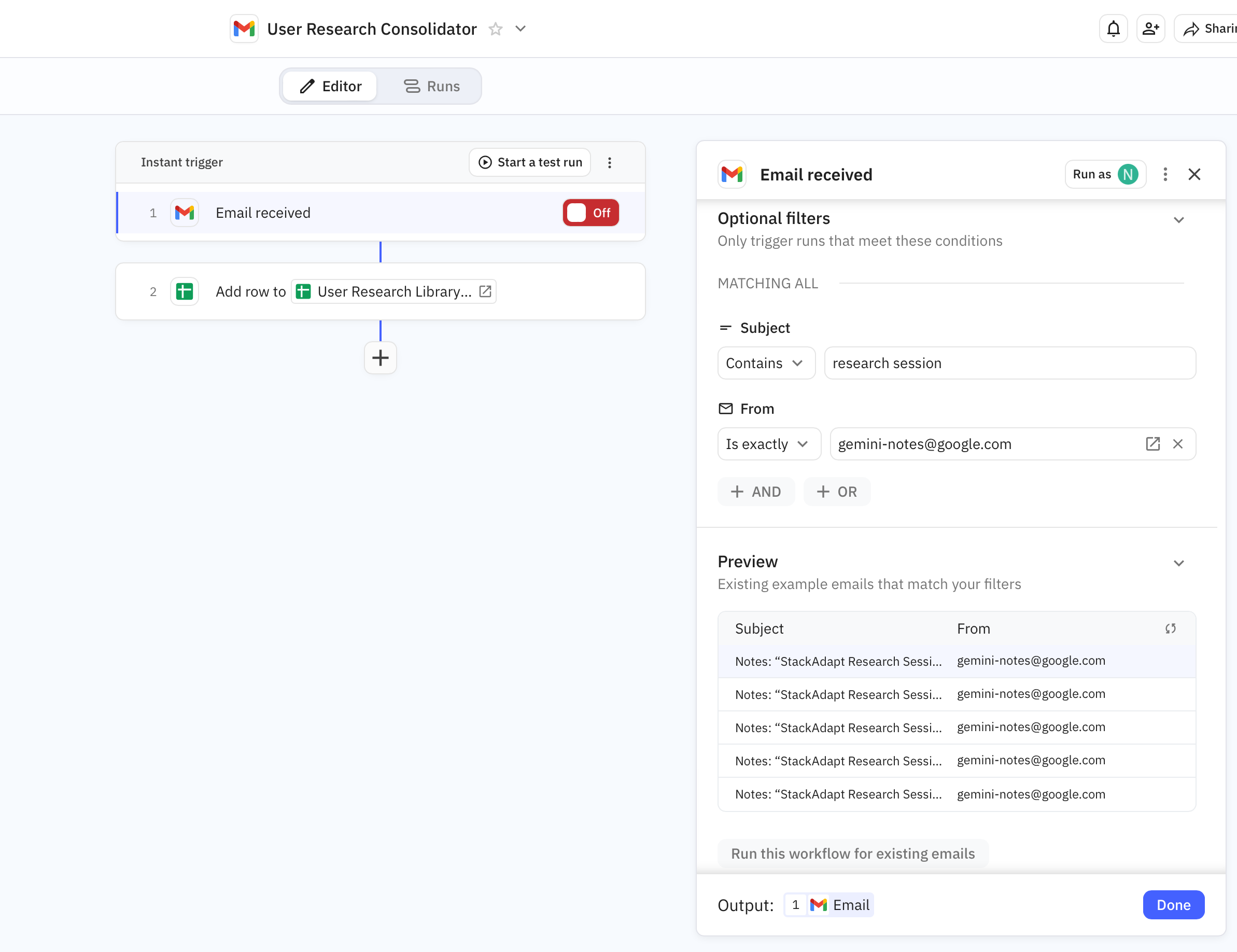
The results: I can instantly Ctrl+F across months of research notes to pull quotes, validate assumptions, or see patterns. I’ve also run Gemini over the entire database to synthesize themes and generate recommendations.
The level up:
Turn the library into a shared team asset
Use AI agents to analyze the full dataset, surface opportunities, and spot surprising patterns over time
Final thoughts
These aren’t complicated automations. Most took <15 minutes to set up, but they’ve meaningfully improved the way I operate.
A quick note on tools: I’ve become a fan of Relay.app for setting up these workflows.
Why Relay.app over Zapier?
Relay.app has role-specific templates (PM, PMM, Ops, etc.)
The AI agent features are extremely easy to use
Zapier is still excellent for general “move this data here” automations and a good all-around integrations tool
Relay.app just feels more purpose-built for the way PMs work.
💬 Comment below: What are some automations you’ve tried, or which ones would you like to try?