


Last week, we talked about why your product doesn’t need a redesign.

We established a simple redesign framework with 2 tests:
The Bloomberg Terminal Test:
Will redesigning cause more harm than good?The Amazon Test:
Will redesigning materially move product or business metrics?
If your redesign fails either test, tread carefully.
This week, I wanted to delve into why some redesigns are successful, how you’ll know when it is time to redesign your product, and how to navigate a redesign successfully.
Applying our redesign framework to Apple iOS
Taking a look at Apple’s recent iOS 26 redesign with Apple Glass, compared to the iOS 7 redesign, I’m not sure iOS 26 passed our test.
Why the iOS 7 redesign was a success
When Apple went from skeuomorphic design to flat design with iOS 7, of course there were critics, but the redesign was a success. Why?
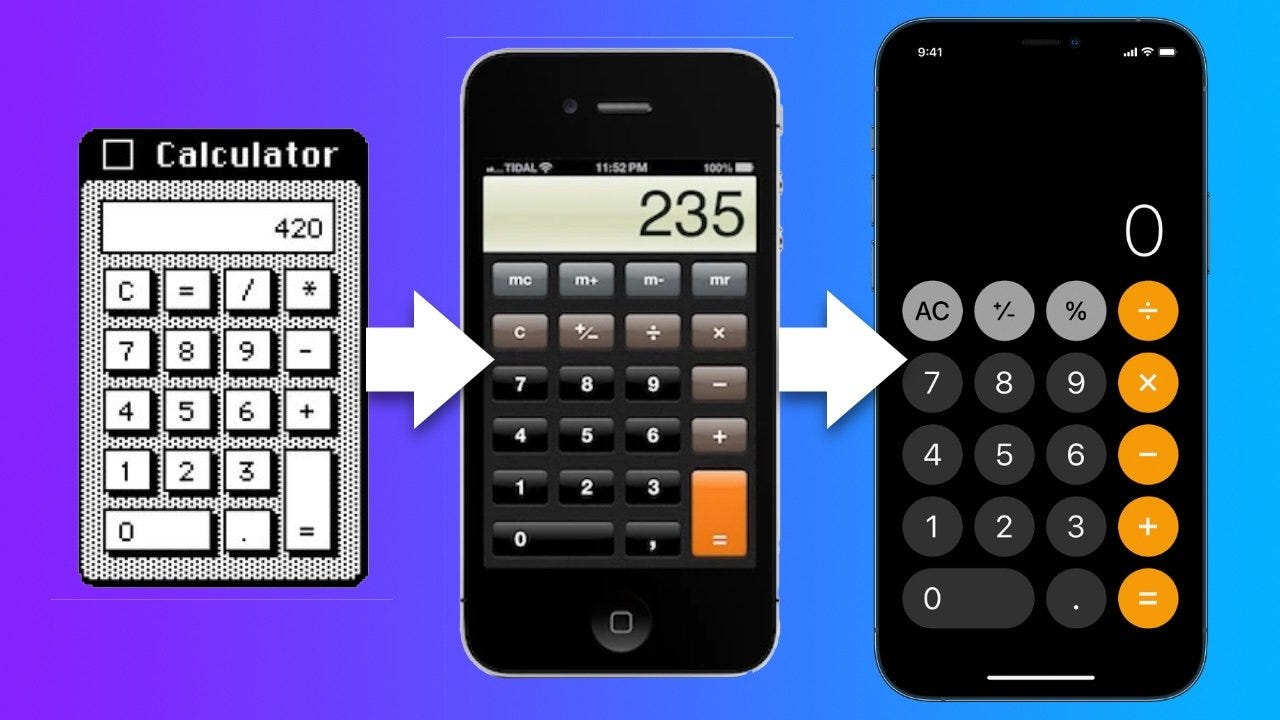
The design was actually necessary to advance the product forward.
By the time iOS 7 was released, flat icons were needed to make it easier for developers to deal with different screen sizes, instead of focussing on pixel-perfect skeuomorphic design.
And critically, Apple didn’t change core interaction patterns. Users didn’t have to relearn how to use their phone. The compass app still looked like the compass app, just reimagined. The calculator app looked nearly the same, just flatter.
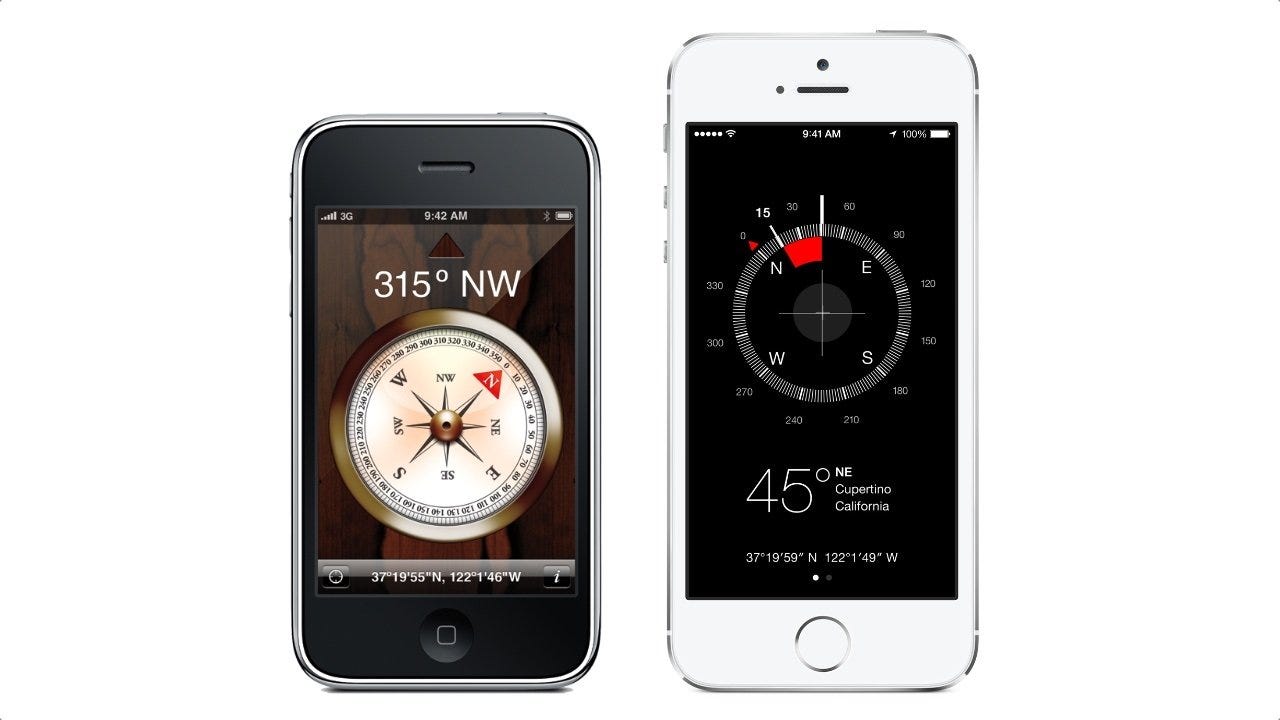
Skeuomorphism helped people learn the iPhone in its early years. Flat design helped Apple iOS apps scale into the future.
It passed both tests:
It didn’t break core workflows for users (The Bloomberg Terminal Test)
It enabled product evolution for their developer ecosystem (The Amazon Test)
Why iOS 26 is different
The latest redesign Apple introduced in iOS 26, with Liquid Glass design system, is different.
It’s the redesign that literally no one asked for.
People had already trained their parents and grandparents on iOS. Then suddenly:
familiar controls moved
visual hierarchy changed
accessibility issues with the too-transparent liquid glass surfaced
Small things like changing where the search bar is located (from top to the bottom) creates friction, especially for less tech-savvy users.
Weeks after updating (I was holding off forever!) I’m still struggling to find my search bar, because they moved it from the top to the bottom of the screen.
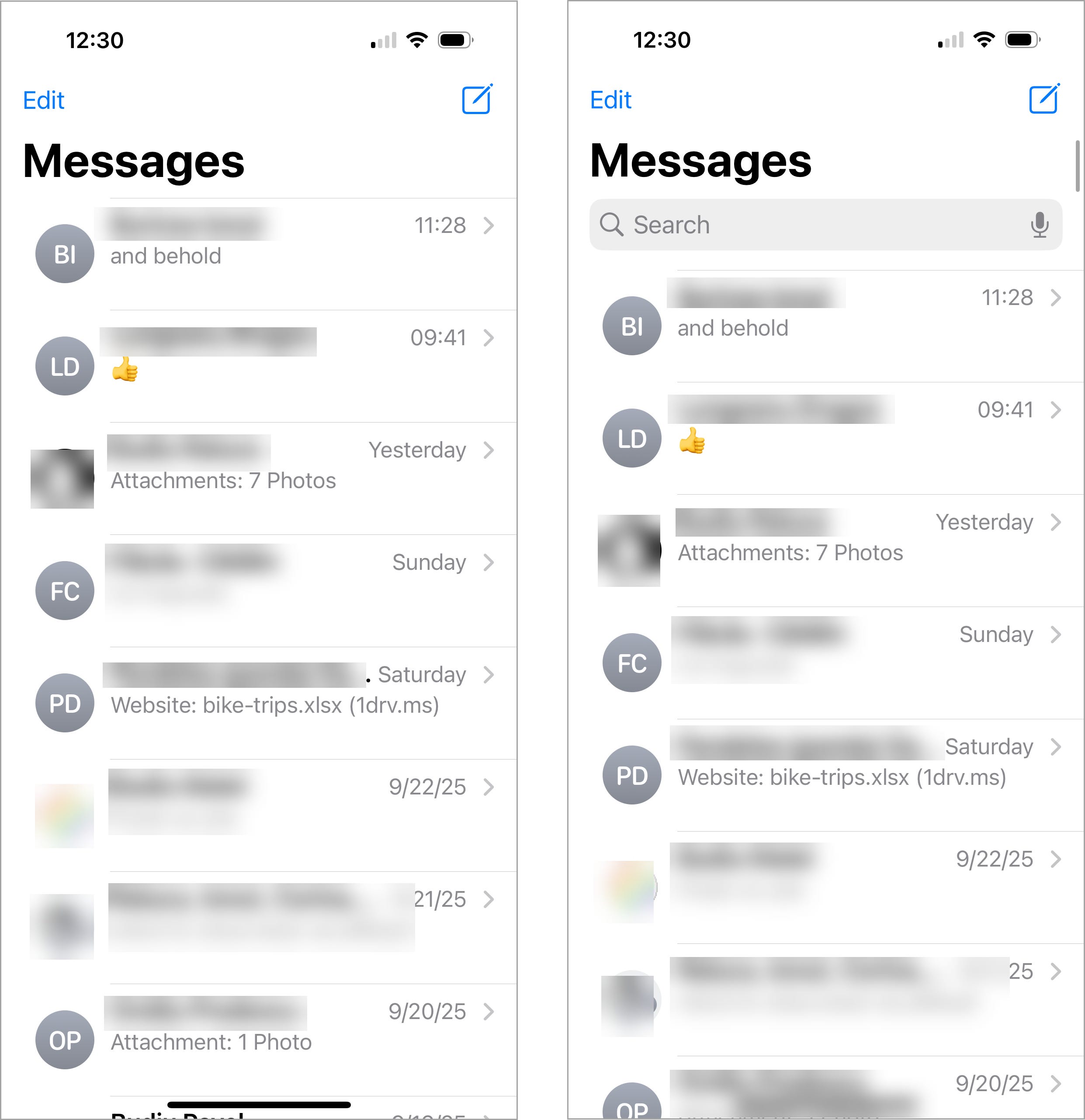
In another example, Reddit users complain how many basic camera functionalities, like flash, are now buried behind multiple menu options.
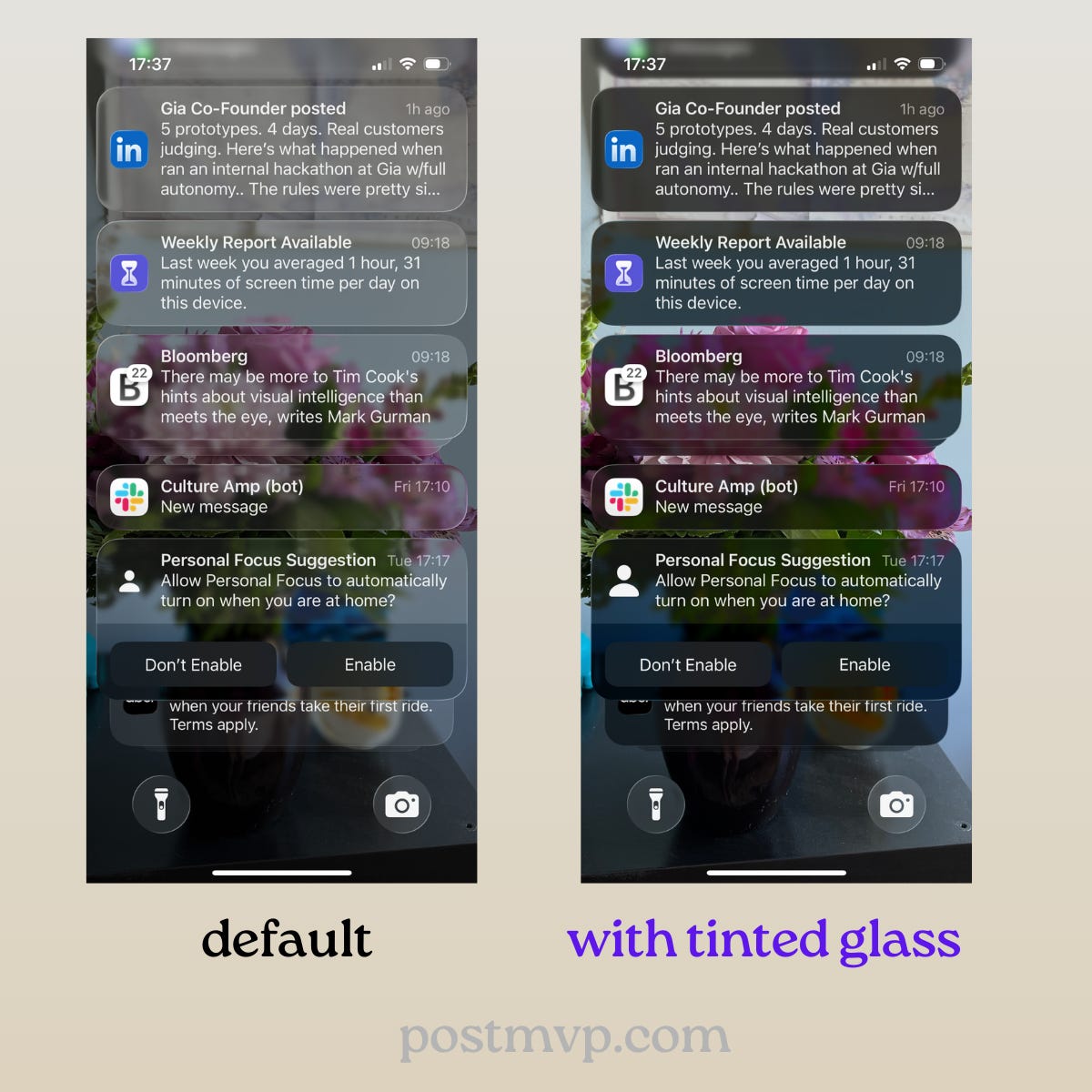
The usability of Liquid Glass became such an issue that Apple had to push an update in iOS 26.1 to allow users to update to tinted glass. (Go to Settings > Display & Brightness > Liquid Glass > Select ‘Tinted’).
The fact that users basically have the option to walk-back a feature is a clear design failure.
Usability experts from Nielsen Norman group put it bluntly:
“Overall, Apple is prioritizing spectacle over usability.”
It’s difficult to understand why Apple made the change to Liquid Glass, and that’s a big problem, because:
Good redesigns have clear rationale.
If there is a grand master plan (as some speculate, perhaps toward seamless edge-to-edge hardware integration), it hasn’t been clearly articulated.
And when users don’t understand the “why,” they assume it’s design change for design’s sake.
Going back to our 2 redesign tests:
Liquid Glass broke core user workflows
It’s not clear how it moves the business or the product forward
When is the right time to redesign your product?
So how will you know when it’s the right time to redesign your product, and not just a vanity project?
Some signs it’s time for a redesign:
Your current system constrains building core features customers want.
Navigation or discoverability issues materially hurt usage.
Technology or platforms have evolved and your product can’t keep up.
Your current design cannot scale with the product complexity.
Those are all valid reasons to complete a redesign. Here are some not-so-good reasons:
A new design trend is popular.
The product “feels old”
The design team wants a refresh.
Growth has stalled and you’re hoping aesthetics will fix it.
Rounded buttons won’t fix a broken strategy. A redesign only makes sense when it’s supporting your business strategy.
How to successfully lead a redesign
I wrote in detail about how I navigated a redesign with Air Canada here:
The Story Behind Air Canada’s Redesign

This week’s post is a personal case study of how I enabled “Simple Mode” for a travel product: the Air Canada homepage.
If you decide it’s the right time, here’s what actually works:
Align on the core business metric(s) you want to drive. For Air Canada, driving flight bookings was our #1 metric.
Prototype and test with end users (not internally), over and over until you work out the kinks.
Launch a Beta or an A/B test to ensure you’re hitting all of the core metrics you intended to hit.
Add feedback loops in production (site feedback buttons, Slack channels, etc.) so that you can get feedback directly from customers. No matter how rigorously you user test, feedback from production is always best.
Incorporate customer feedback until you have a solid launch-ready product.
Launch the new redesign, but give users an “escape hatch” (e.g. a way to go back to the old version) while everyone adjusts.
Sunset the old product once you stop receiving major feedback about the newly redesigned product.
Final Thoughts
When growth stalls, product teams reach for the most visible lever: the UI. But vanity changes like rounded buttons and new typography will not solve your problems.
Only a thoughtful redesign, grounded in business metrics and awareness for user’s workflows, can unlock your next phase of growth.
💬 I’d love to know if you’ve been part of a redesign, what lessons you’ve learned?